Actual Drawing .ADF: The Forgotten 90s Web Builder
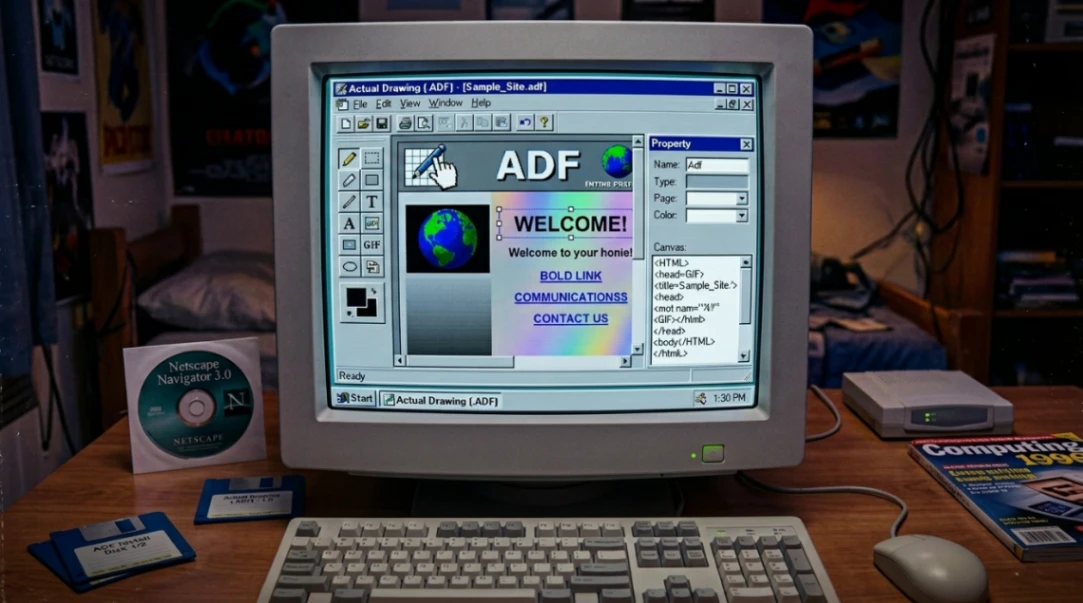
Actual Drawing was a proprietary web builder developed by PY Software in the late 1990s that used the .ADF (Actual Drawing File) format. It treated the web as a visual canvas rather than a document, letting users design pixel-perfect layouts without writing code. The software reached its final version at 7.4 before being discontinued and largely forgotten.
Table of Contents
- Introduction: The Web Builder You Never Heard Of
- What Was Actual Drawing and the .ADF Format?
- How It Stacked Up Against FrontPage and Dreamweaver
- The Integrated Image Engine That Set It Apart
- Interactivity, Flash, and the Dynamic Web
- Site Management Features That Were Ahead of Their Time
- Why It Was Forgotten (And What It Left Behind)
- Conclusion: Key Takeaways
- FAQ
Introduction: The Web Builder You Never Heard Of
Most people who talk about 90s web builders jump straight to FrontPage or Dreamweaver. And yeah, those tools absolutely shaped how a generation built websites. But there's a quieter, weirder, and honestly more visually ambitious tool that almost nobody talks about anymore.
Actual Drawing, built by PY Software, treated the web like a drawing board. Not a document. Not a code editor. An actual canvas where you could drag, layer, and render your way to a finished website. It sounds so obvious now, in a world full of Webflow and Wix. But back when most web builders were glorified text editors with a few buttons, this thing was doing something genuinely different.
So let's dig into what made this forgotten web builder so interesting, and why it still matters to anyone who cares about the history of no-code design.
What Was Actual Drawing and the .ADF Format?
Actual Drawing was developed in the late 1990s by PY Software and targeted a very specific kind of user: designers, small business owners, and artists who had zero interest in learning HTML but wanted professional-looking websites.
The software used a proprietary binary file format called .ADF (Actual Drawing File). This wasn't a web page. It was a blueprint. You'd design your site inside the software, and then "export" it to generate the actual HTML and image assets.
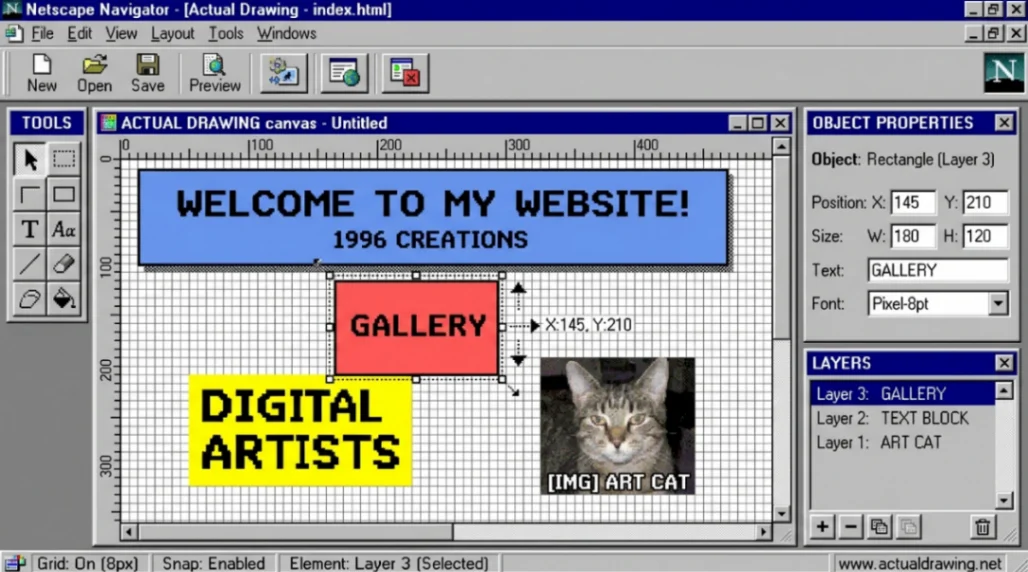
Technically, the .ADF files contained a "magic string" at offset 0x2, identifying them as either "Actual Drawing" or its predecessor, "Ad Designer." That detail alone is fascinating because it tells you something important: this software probaly started life as a banner ad creation tool before evolving into a full web builder. You were essentially building "one giant ad" that functioned as a website. Which, honestly, explains a lot about the visual style of sites it produced.
The .ADF Format at a Glance
| Feature | Specification |
|---|---|
| File Extension | .ADF |
| Magic String (Offset 0x2) | "Actual Drawing" or "Ad Designer" |
| Primary Use | Web canvas / non-destructive project file |
| Final Version Released | 7.4 |
| Registry Source | PRONOM / Wikidata / DigiPres.org |
The non-destructive nature of the format was ahead of its time. Unlike working directly in HTML, the .ADF file preserved your original layers, vector data, and transformations. You could go back and edit anything non-destructively. That's a workflow concept most designers today associate with modern tools, not a Windows 98-era web builder.
How It Stacked Up Against FrontPage and Dreamweaver
If you've read about the FrontPage vs Dreamweaver rivalry, you'll know that the 90s web builder market was already pretty competitive. Microsoft FrontPage felt like Word with a web tab bolted on. Dreamweaver leaned into code and appealed more to developers.
Actual Drawing carved out a third lane entirely.
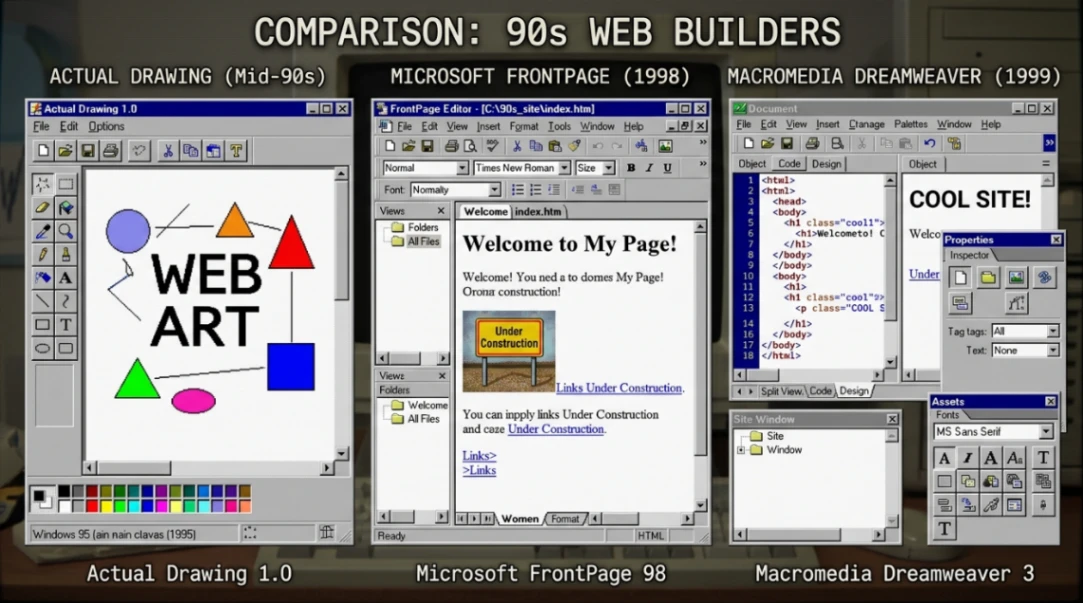
| Attribute | Actual Drawing | Microsoft FrontPage | Macromedia Dreamweaver |
|---|---|---|---|
| Core Philosophy | Web as a Canvas | Web as a Document | Web as a Script |
| Asset Management | Integrated Editor | Requires External Tools | Requires External Tools |
| Positioning | Absolute / Pixel-Perfect | Flow-based / Table | Hybrid / CSS-centric |
| File Format | .ADF (Proprietary Binary) | .HTM (Native) | .HTM (Native) |
| Target Audience | Artists & Small Business | Office Workers | Professional Developers |
The big irony is that Actual Drawing's greatest strength was also its fatal flaw. Because users worked in .ADF files rather than HTML directly, they were completely locked into the PY Software ecosystem. FrontPage and Dreamweaver users could move their projects to any other tool. Actual Drawing users couldn't. When the software died, so did access to those source files.
The Integrated Image Engine That Set It Apart
This is where Actual Drawing really pulled away from the competition. While FrontPage users had to fire up Photoshop just to resize a logo, Actual Drawing had a built-in image manipulation suite baked right in.
We're talking drop shadows, inner glows, bevel and emboss effects, wave distortion, and contour conversion tools, all inside the web builder itself. No roundtripping to an external app. Just design and keep going.

The software also handled a very real problem of the era: the 56k modem. Every kilobyte mattered. Actual Drawing's "Graphical Web Optimization" feature would automatically analyze your canvas and convert assets to the most efficient format. Flat graphics with text got saved as GIFs. Photographs went to JPEG. It even included a pixel editor for fine-tuning compression.
And then there was the transparency problem. Because early browsers didn't properly support PNG alpha channels (even though Actual Drawing started supporting PNG in version 3.5), the software would actually blend object edges against the page's background color to simulate transparency. That prevented the ugly white "halos" that plagued so many 90s graphics when transparent GIFs sat on non-white backgrounds.
For the time? That was genuinely clever engineering.
Interactivity, Flash, and the Dynamic Web
Actual Drawing wasn't just for static layouts. It was trying to be a full bridge to the "dynamic web," and it had several tools to pull that off.
Version 3.3 added support for Flash, Shockwave, and Java applets. By version 4.4, you could actually display and edit Flash files directly in design mode, which was rare for any third-party web builder at the time. You didn't have to constantly preview in a browser to see how your animation interacted with the rest of the page.
The software also shipped with a library of over 20 ready-to-use JavaScript snippets. These where the beloved (and often chaotic) extras that defined the era.
| Interactive Element | Description |
|---|---|
| Rollover Images | JavaScript-driven hover state changes |
| Flying Text | DHTML effects that animated text across the screen |
| Form Validation | Scripts to check email and name field inputs |
| Background Effects | Scripts to animate the page backdrop |
These scripts were dropped in through an "HTML Container," basically a little window into the underlying code for users who had no interest in actually writing it.
Site Management Features That Were Ahead of Their Time
As Actual Drawing matured through its version history (from early iterations right up to the final 7.4 release), PY Software started adding tools that look more like a primitive CMS than a simple web builder.
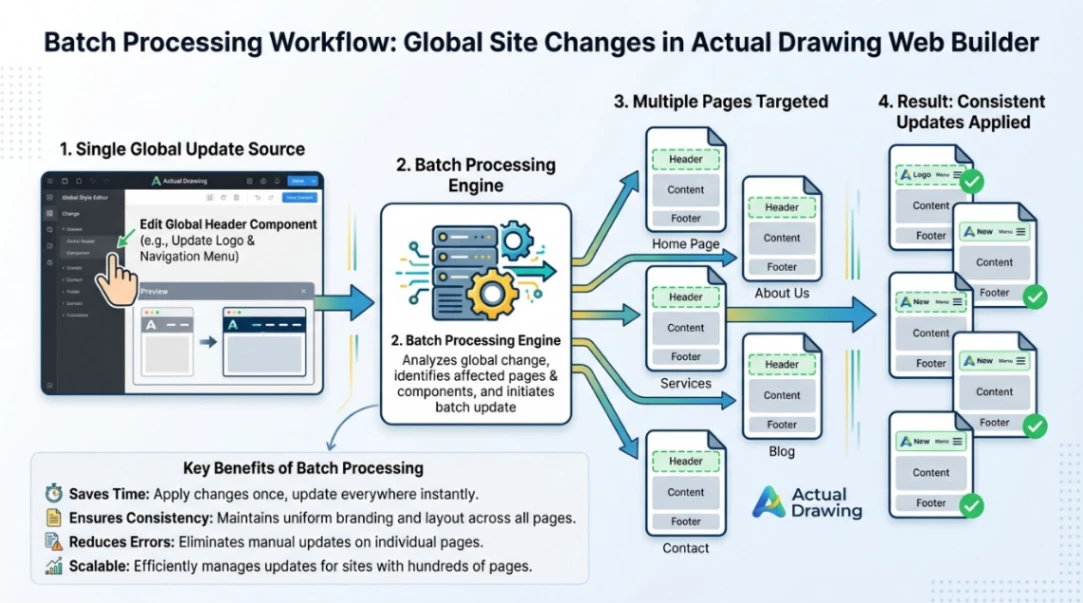
The Batch Processor, introduced and expanded around version 5.0, let users apply changes across entire websites in one go. Swap out a logo sitewide. Change a background color globally. For anyone managing dozens or hundreds of static HTML pages in the late 90s, that was a huge deal.
Version 4.2 added a broken link checker, scanning every internal and external link in a project to flag problems before they went live. In an era of rampant link rot, that saved hours.
The software also included a built-in FTP tool to push files directly to a web server, and a search engine submission feature that would automatically register your site with Yahoo! and AltaVista. One-click SEO, 1990s edition.
Why It Was Forgotten (And What It Left Behind)
The story of Actual Drawing's decline is really a story about lock-in. Those .ADF binary files, the same format that made the software feel so powerful and self-contained, left users stranded when PY Software wound down. The official site at pysoft.com became largely inaccessible, and the software doesn't run on modern operating systems without virtual machines or compatibility layers.
Today, digital archivists are hunting for old Actual Drawing sites by looking for a specific generator meta tag in web archives: <meta name="GENERATOR" content="Actual Drawing 6.0"> from pysoft.com. They're also identifing them by the image folder structure, specifically the presence of files named things like artistic_text_1.gif. Forensic tools like DigiPres.org and PRONOM have already begun cataloging the .ADF extension to ensure these files aren't misidentified as Amiga disks or ESRI grids in digital preservation work.
But here's the thing: the philosophy never actually died. Tools like Wix, Squarespace, and Webflow are direct descendants of the "web as canvas" idea. And if you want to go even further back, WYSIWYG tools like WebMagic in 1995 were already pointing in this direction.
Actual Drawing just got further down that road than most people realize.
Conclusion: 3 Key Takeaways
1. The "web as canvas" idea was genuinely radical. While competitors treated websites like word documents or code files, Actual Drawing insisted that design should come first. That instinct was right. It just took the industry another decade or two to catch up properly.
2. Integrated tooling beats fragmented workflows. Having image editing, FTP publishing, link checking, and JavaScript libraries all inside one web builder was a powerful idea. Modern all-in-one platforms like Webflow still sell this exact promise.
3. Proprietary formats are a slow-motion disaster. The .ADF format is now a cautionary tale. Users who built their sites and projects inside that ecosystem had no exit strategy when the software was discontinued. Open formats matter, especially for long-lived digital work.
Actual Drawing reminds us that the history of the web isn't just what we see in archived pages. It's also the tools that built those pages, the formats that stored the designs, and the people who drew the early web one pixel at a time. And some of those tools, forgotten as they are, were genuinely ahead of their time.
Start exploring the best no-code templates here
FAQ
What is Actual Drawing (.ADF)? Actual Drawing was a visual web builder by PY Software that used the .ADF file format. It let users design websites on a pixel-perfect canvas and export finished HTML without writing code.
What does the .ADF file extension stand for? In this context, .ADF stands for Actual Drawing File. It is a proprietary binary project format used by PY Software's Actual Drawing web builder, distinct from other .ADF formats like Amiga Disk File.
How did Actual Drawing compare to FrontPage? Actual Drawing used absolute pixel-based positioning with an integrated image editor, while FrontPage used a document-style flow layout. Actual Drawing targeted artists and designers; FrontPage targeted office users already familiar with Microsoft Word.
Why is Actual Drawing forgotten today? The software used a proprietary binary format that became inaccessible after PY Software discontinued the product. Without the original software or a compatible parser, .ADF project files cannot be opened, making recovery and preservation difficult.
What modern tools are similar to Actual Drawing? Webflow, Wix, and Squarespace all carry on the "web as canvas" philosophy that Actual Drawing pioneered. All three prioritize visual drag-and-drop design over manual coding, with integrated hosting and publishing tools.
Start building without code
Browse thousands of no-code templates for Webflow, Framer, Bubble, Lovable, Replit and more.
Explore Templates